How to Optimize Your Shopify Store for Google PageSpeed in 2026
Nearly 70% of online shoppers abandon websites that take more than a few seconds to load—and if your Shopify store is among them, you're losing real money every single day.
Here's what that actually looks like: A mid-size Shopify store processing 5,000 daily visitors with an average order value of $60 can hemorrhage $9,000 per day from just a single extra second of load time. That's not a minor inconvenience—that's revenue walking out the door.
In 2026, the stakes have only gotten higher. Google's Core Web Vitals now directly influence your search rankings and user experience metrics, meaning slow-loading pages don't just frustrate customers—they hurt your visibility in search results. And with over 70% of e-commerce traffic coming from mobile devices, where speed is even more critical, optimization isn't optional anymore.
But here's the good news: You have a built-in advantage. Shopify stores average load times of just 309ms compared to WooCommerce's 776ms. You're already ahead of the curve—you just need to push further.
The opportunity is substantial. Improving your page speed by even 0.1 seconds can boost conversion rates by 8.4% and increase average order value by 9.2%. That's meaningful growth sitting right there in your performance metrics, waiting to be unlocked.
In this guide, we'll walk you through actionable strategies to optimize your Shopify store for Google PageSpeed, break down what Core Web Vitals actually mean for your business, and show you exactly how to reclaim that lost revenue. Whether you're running a boutique e-commerce shop or managing multiple product lines, you'll find practical steps you can implement immediately.
Let's dive in.
Understanding Core Web Vitals: The 2026 Framework for Shopify Success
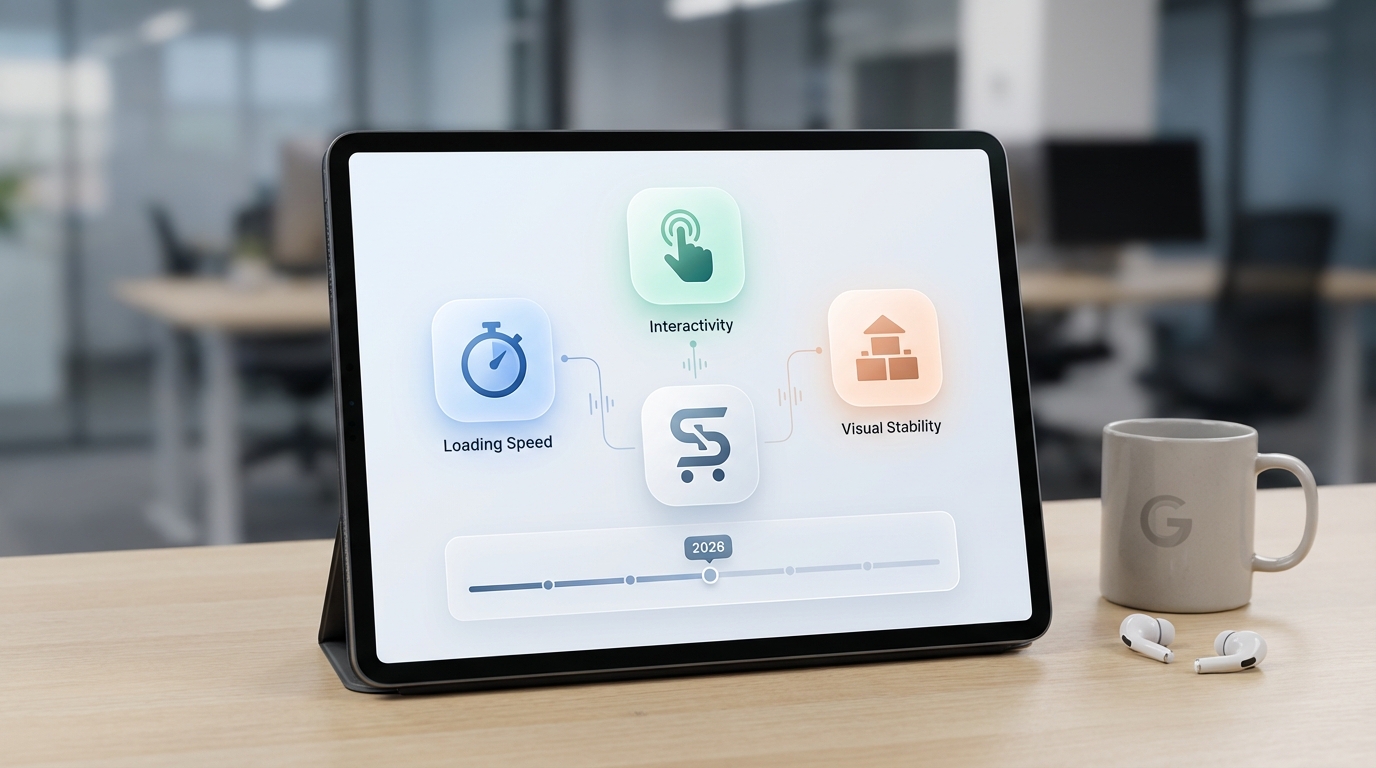
Google measures user experience through three primary metrics called Core Web Vitals, which have become the foundation of search rankings and user satisfaction. Understanding these metrics is the first step toward meaningful optimization.
What Are Core Web Vitals?
Core Web Vitals are Google's quantifiable measurements of how real users experience your Shopify store. They represent the aspects of page performance that matter most for visitor satisfaction: how fast content appears, how responsive your site feels, and how stable the visual layout remains during loading.
LCP (Largest Contentful Paint): Speed of Your Main Content
Largest Contentful Paint measures how quickly your most prominent content becomes visible—typically your hero image, main product photo, or headline. Think of this as how fast visitors see what they came for.
- 2026 target: Under 2.5 seconds (good), ideally under 1.5 seconds (excellent)
- What it includes: Hero images, large text blocks, video thumbnails, product images
- Why it matters: Users decide within 2-3 seconds whether to stay or leave; slow LCP directly increases bounce rates
- Common culprits: Unoptimized images, render-blocking resources, slow server response times
INP (Interaction to Next Paint): Responsiveness When Users Engage
Interaction to Next Paint replaced First Input Delay (FID) in 2024 and measures how quickly your store responds when customers click buttons, tap the "Add to Cart" button, fill out forms, or interact with your site.
- 2026 target: Under 200 milliseconds for good responsiveness
- Real impact: A slow INP creates frustration during the checkout process, directly causing cart abandonment
- Critical for conversions: Every millisecond of delay during checkout can cost you orders
- Often overlooked: Many merchants ignore INP because it's harder to diagnose than image loading speeds
CLS (Cumulative Layout Shift): Visual Stability During Loading
Cumulative Layout Shift measures how much content unexpectedly moves around while your page loads. This happens when images load without reserved space, ads suddenly appear, or fonts swap mid-load.
- 2026 target: Under 0.1 (excellent stability), under 0.25 (acceptable)
- User frustration: CLS causes visitors to accidentally click wrong buttons or lose their place while reading
- Common causes: Unoptimized images, ad injections, embedded widgets without reserved space
- Solution: Reserve space for images before they load using aspect ratio boxes
The 2026 Addition: Visual Stability Index (VSI)
New in 2026, Google's Visual Stability Index extends CLS measurement throughout entire user sessions, not just the initial page load. This captures layout shifts during user interactions and content updates, particularly important for dynamic Shopify product pages with reviews, inventory indicators, and variant selectors.
Why Core Web Vitals Matter for SEO
When Google evaluates two product pages with similar content quality, Core Web Vitals often determine which one ranks higher. Speed has become a confirmed ranking factor—one of the few metrics you can directly control and improve.
The realistic perspective: Perfect Core Web Vitals won't overcome poor product descriptions or thin content, but they absolutely differentiate your store when competitors have equal content quality. In competitive categories, speed optimization can be the deciding factor between page one and page two rankings.
Mobile vs. Desktop: Where Google's Focus Lies
Google uses mobile-first indexing, meaning they primarily evaluate your mobile experience when ranking. This has profound implications: your mobile Core Web Vitals matter far more than desktop performance. Many merchants still prioritize desktop speed—this is a critical mistake in 2026.
- Mobile traffic: 70%+ of e-commerce traffic is mobile
- Google's priority: Mobile metrics determine your ranking
- Conversion advantage: Mobile optimization improves both SEO and user experience simultaneously
The Revenue Impact: Why Speed Optimization Is a Business Decision, Not Just a Technical One
Speed optimization isn't just about impressing Google—it directly impacts your revenue. Understanding the financial case for optimization helps you prioritize this work alongside other business initiatives.
Conversion Rate Impact: Users Decide in Seconds
The statistics are consistent and compelling: 53% of users abandon sites that take over 3 seconds to load. Your Shopify store has approximately 2-3 seconds to convince visitors they're in the right place.
Consider the math: If you receive 10,000 monthly visitors with a 2% conversion rate, a 3-second load time costs you roughly 106 lost customers per month. At $50 average order value, that's $5,300 in monthly revenue lost to slow loading alone—before considering the compounding effect of poor search rankings.
Real Case Studies: Quantifiable Revenue Gains
The business impact of speed optimization is well-documented:
- Rakuten 24: Increased revenue per visitor by 53% after optimizing Core Web Vitals
- Industry benchmarks: Stores improving speed see 33% higher conversion rates on average
- Incremental improvements: An improvement of just 0.1 seconds in load time correlates with 8.4% conversion rate gains
- Shopify advantage: The average Shopify store loads in 309ms versus WooCommerce's 776ms—this built-in speed advantage means your competition on other platforms must work harder to match your baseline
Ad Cost Efficiency: Speed Improves Quality Scores
Faster pages receive higher Quality Scores in Google Ads, which directly lowers your cost-per-click. A site with poor PageSpeed often pays 15-20% more per click than an optimized competitor for the same keywords.
Additionally, faster loading reduces bounce rates, which improves ad relevance scores—creating a positive feedback loop where optimization reduces both bounce rates and advertising costs simultaneously.
SEO Ranking Correlation: Speed Is Controllable
Unlike content quality (subjective) or brand authority (difficult to build), speed is one of the few ranking factors you can directly control and measure. For competitive Shopify niches, this creates real ranking opportunities.
Customer Lifetime Value: Repeat Visits and Trust
Fast experiences improve trust and encourage repeat purchases. Customers who experience slow checkout are less likely to return; customers with smooth, fast experiences show higher lifetime value and recommend your store to others.
High-Impact Quick Wins: Immediate Steps to Speed Up Your Shopify Store
You don't need to rebuild your entire store to see speed improvements. Start with these high-impact tactics that typically deliver 20-40% speed improvements within your first week.
1. Theme Foundation: Choose Performance-First Design
Your theme is the foundation of your store's speed. Shopify's modern themes are significantly faster than older designs.
Recommended themes (all optimized for 2026 performance):
- Horizon (free tier from Shopify)
- Avone (excellent product page speed)
- Prestige (luxury e-commerce, great performance)
- Dawn (lightweight, developer-friendly)
If you're using an older or heavily customized theme, theme migration should be your first consideration before other optimizations.
2. Image Optimization: Your Biggest Speed Opportunity
Images typically represent 50-70% of page weight on e-commerce stores. Optimizing images delivers the fastest improvements.
Format strategy:
- WebP format provides 25-35% better compression than JPEG/PNG while maintaining identical visual quality
- Upload product images at exact display dimensions (typically 800×800px for product pages)
- Use progressive JPEGs for product photos to show a low-quality version while the high-quality image loads
Tools for optimization:
- TinyPNG or Kraken.io for batch compression
- JPEGmini specifically optimized for photographs
- Shopify's built-in image optimization for product photos
3. App Audit: Remove Non-Essential Tools
Every Shopify app adds JavaScript to your store—and more JavaScript means slower pages. Audit your installed apps ruthlessly:
- Remove chat widgets if not actively used
- Disable heatmap tracking apps if you don't analyze data
- Eliminate review display tools if you can use native Shopify reviews
- Keep only apps that directly impact conversion or operations
Pro tip: Check your PageSpeed score before and after removing apps—you'll often see immediate 10-20 point improvements.
4. Implement Lazy Loading: Defer Image Loading
Lazy loading defers images so they only download as users scroll near them. This dramatically improves LCP since above-the-fold content loads faster.
Most modern Shopify themes include lazy loading by default, but verify in your theme settings. When implemented correctly, lazy loading typically improves LCP by 1-2 seconds.
5. Script Management and Deferral
JavaScript is slow. Minimize it:
- Defer non-critical scripts (analytics, tracking) to load after core functionality
- Use asynchronous loading for third-party tools
- Combine multiple script files into single files where possible
6. Browser Caching Configuration
Configure your theme to store static files locally on visitors' computers. This speeds up repeat visits dramatically.
Access this through Online Store > Themes > Speed in your Shopify admin for theme-specific caching options.
7. Benchmark Your Current Performance
Before making changes, establish a baseline.
Check your speed in Shopify admin:
- Go to Online Store > Themes > Performance
- Compare your store against similar Shopify stores in your industry
- Note your current Core Web Vitals scores
This built-in dashboard is invaluable for tracking progress.
Advanced Optimization: Going Beyond the Basics for 100 PageSpeed Scores
Once you've implemented quick wins, advanced techniques push you toward perfect PageSpeed scores (90+) and consistent 100s.
Critical CSS: Prioritize Above-the-Fold Content
Identify and prioritize only the CSS needed to render above-the-fold content (what users see before scrolling). Defer all other CSS to load later.
This reduces render-blocking resources and improves LCP by 0.5-1 second on many sites.
Code Minification: Reduce File Sizes
Minification removes unnecessary characters from CSS, JavaScript, and HTML—reducing file sizes by 20-30% without changing functionality.
Modern Shopify themes include minification, but verify it's enabled in your theme settings.
Font Optimization: Host Locally and Limit Variants
External fonts (Google Fonts, Typekit) cause delays. Solutions:
- Host web fonts locally through your CDN
- Limit font weights—use only Regular (400) and Bold (700)
- Use system fonts when appropriate (can reduce requests by 2-3 entirely)
- Use
font-display: swapto prevent invisible text while fonts load
Server Response Time (TTFB)
If your Time to First Byte exceeds 600ms, no other optimization will achieve good LCP scores. This indicates a hosting problem.
Solutions:
- Upgrade from shared hosting to managed Shopify Plus (if applicable)
- Ensure you're using Shopify's global CDN effectively
- Work with your hosting provider on database optimization if using external hosting
Leverage Shopify's Infrastructure
Shopify uses Google Cloud infrastructure and a global CDN, giving you geographic distribution automatically. However, ensure your custom code doesn't negate this advantage.
HTTP/3 and Speculation Rules
Shopify has implemented cutting-edge technologies including HTTP/3 (faster connection protocol) and Speculation Rules (preload likely next pages). Ensure your theme supports these technologies.
Database Optimization for Large Catalogs
Stores with thousands of SKUs may experience backend query delays. Work with developers on:
- Database indexing for frequently queried fields
- Pagination to limit product array sizes
- Product collection optimization
Real User Monitoring (RUM) vs. Lab Testing
Lab data (PageSpeed Insights) shows potential; real user data (Chrome User Experience Report) shows actual performance. Always prioritize real user metrics over lab scores.
Testing and Monitoring: Tools and Strategies to Track Progress and Maintain Performance
Optimization is an ongoing process, not a one-time project. Establish monitoring systems to maintain and improve performance continuously.
Primary Testing Tools
Google PageSpeed Insights: Your primary tool, showing mobile/desktop scores and specific Core Web Vitals with recommendations.
GTmetrix: Provides waterfall charts showing exactly which resources take longest to load, helping identify specific bottlenecks.
Shopify Native Speed Dashboard: Built into your admin under Online Store > Performance, comparing your store directly against similar Shopify stores in your industry.
Lab Data vs. Real User Data
- Lab testing (PageSpeed): Shows potential but uses simulated conditions
- Real user data (CrUX): Shows actual customer experience; prioritize improving this
- Best practice: Use lab testing to identify issues, real user data to confirm improvements
Ongoing Monitoring Strategy
- Initial phase: Test weekly after major changes
- Maintenance phase: Monthly testing once optimized
- Before major events: Test before sales events or traffic surges
- Continuous improvement: Quarterly reviews to catch new issues early
Competitive Benchmarking
Use PageSpeed Insights on competitors' product pages to understand your relative performance. This helps set realistic targets for your niche.
Red Flag Thresholds
Immediately address these warning signs:
- PageSpeed score below 50 on mobile
- LCP consistently over 4 seconds
- CLS above 0.25
- Mobile Core Web Vitals significantly worse than desktop (indicates mobile-specific issues)
When to Hire Experts: Recognizing When DIY Optimization Hits Its Limits
Not every store requires professional optimization help, but certain situations strongly indicate when external expertise becomes valuable.
Clear Signs You Need Professional Help
DIY optimization has diminishing returns when:
- Your PageSpeed score consistently remains below 50 despite multiple attempts
- Your theme is heavily customized, making self-fixes risky (risk of breaking functionality)
- You lack technical confidence with code modifications
- You've spent 20+ hours optimizing with minimal improvement
Time Investment Reality
Comprehensive store optimization typically requires 40-80+ hours of technical work. Professional agencies compress this timeline to 1-2 weeks through specialized expertise and tools, meaning your lost revenue from slow speed pays for professional optimization quickly.
Preparation for Traffic Surges
Before major sales events (Black Friday, seasonal launches) or traffic surges, having experts verify your infrastructure handles increased load prevents downtime and ensures Core Web Vitals remain solid under high traffic.
Custom Development Optimization
If your store requires custom features, custom product pages, or heavily modified themes, hiring specialists prevents accidentally breaking functionality while optimizing.
Full-Stack Approach
Agencies combining design, development, and marketing expertise can identify speed issues tied to business metrics. They understand why speed matters beyond metrics—specifically conversion impact, customer experience, and SEO rankings.
ROI Calculation: When Professional Help Pays for Itself
If your store loses $9,000 daily to speed-related abandonment (10,000 visitors × 2% conversion × $50 AOV × 3-second penalty), professional optimization paying for itself within hours is likely.
Red Flags in Agency Selection
Avoid agencies offering:
- Outsourced support through call centers
- Generic solutions without Shopify specialization
- Promises of overnight ranking improvements
- Vague optimization processes
Prioritize: Local agencies with in-house specialists, proven Shopify case studies, and documented Core Web Vitals improvements on real stores.
Final Thoughts: Speed as Continuous Strategy
Optimizing your Shopify store for PageSpeed in 2026 isn't a one-time project—it's an ongoing commitment to user experience. The good news: every optimization you implement compounds: faster pages improve rankings, increase conversion rates, reduce ad costs, and build customer trust simultaneously.
Start with the quick wins this week. Monitor your progress. When you hit optimization plateaus, seek expert guidance. Your revenue and search rankings will thank you.
Speed optimization isn't a one-time project—it's a competitive necessity in 2026. Google has made it crystal clear: faster stores rank higher, convert better, and generate more revenue. The good news? You're already ahead. Shopify's infrastructure gives you a 60%+ speed advantage over WordPress and other platforms right out of the box. The question isn't whether you can optimize—it's whether you will.
Start today with quick wins. A theme audit, image optimization, and app cleanup take just hours but deliver measurable results. Use Shopify's native speed dashboard and Google PageSpeed Insights to track your Core Web Vitals improvement. As your traffic scales from hundreds to thousands of daily visitors, revisit your strategy—optimization is iterative.
Remember this: every 0.1-second improvement compounds into 8%+ conversion gains across thousands of customers. That's real revenue on the table.
If you're ready to act, reach out to our team for a free Shopify speed audit to identify your biggest opportunities. Or if your store has complex customizations and DIY optimization feels overwhelming, professional optimization pays for itself in days.
Your customers are impatient, Google rewards speed, and your revenue depends on it. Don't wait—optimize today.
Ready to speed up your Shopify store? Contact Webaholics today to discover how our optimization services can turn your store into a high-converting revenue engine.
Give us a call at (801) 432-0676 or shoot us an email at info@webaholics.co.